
MICROSOFT 365 Family (12 months, auto renewal, 6 users), Cloud Backup (4 TB, 1 year) & LiveSafe with Scam Detector (1 year, unlimited devices) Bundle
MICROSOFT 365 Family (12 months, auto renewal, 6 users), Cloud Backup (4 TB, 1 year) & LiveSafe with Scam Detector (1 year, unlimited devices) Bundle
Item No.
10289363


Compatible with Windows / MacOS / iOS / Android
Microsoft 365: A complete software package for home use
Product key card
Full version
Microsoft Copilot included
Automatic Renewal
Save £60 on this when you buy any computing item
Save £55 on this when you buy any laptop or iPad
Save £2.50 on this when you buy any laptop or iPad
£120.00
Spread the cost with Currys flexpay
Learn more
Your available credit to spend: -1.0
Make monthly payments
From £4.86 per month for 36 months*
Or buy now, pay later
Pay as much or as little as you like for 6 months. Settle in full by 05 December 2026 & pay no interest
*Illustrative example: Credit amount £120.00. Pay 36 monthly payments of £4.86. Total amount payable £174.96. The interest rate for this purchase is 29.9%.
Representative example: Rate of interest 29.9% (variable). 29.9% APR representative (variable). Assumed Credit Limit £1,200.
Credit offers require a Currys flexpay account. With a Currys flexpay account you get a credit limit that you can use for future purchases at your standard flexpay interest rate.
Saved items limit reached (20/20)
To save this item, try removing something else from your
Saved items.

Essential services
What you’ll need to make it even better

Currys Recommends
Currys Recommends
4.20
out of 5 stars
4.2/5
£75.00
Compatible with Windows / MacOS / iOS / Android
Microsoft 365: A complete software package for home use
Product key card
Full version
Microsoft Copilot included
Automatic Renewal
Product information
Product code:
424308
Stay safe online with this Microsoft 365 Family (12 months, auto renewal, 6 users), Cloud Backup (4 TB, 1 year) & LiveSafe with Scam Detector (1 year, unlimited devices) Bundle.
_______________
Microsoft 365 Family - 12 months (automatic renewal) for 6 users
All your essentials in one place. Ignite your creativity and do your best work with Microsoft 365 Family. With premium versions of all your most-used apps, you can be your most productive. Your favourite tools – Word, Excel, PowerPoint, Outlook and OneNote are now superpowered with Microsoft Copilot. This AI assistant is always ready to help you write, research and remember the important stuff. Plus, with 1 TB of OneDrive Cloud storage per user, you can securely save and access all your files whenever you need them.
Good to know
- This version of Microsoft 365 can be used by 6 users across 30 devices
- It runs on PC, Mac, iPhone, iPad and Android devices so you can carry on working anywhere
- Enjoy seamless collaboration with others by easily sharing and co-editing files in real-time
- Get creative with Microsoft Designer – an AI powered image creation and editing software
- The Clipchamp video editor is packed with filters and effects to make any video more exciting
- OneDrive Ransomware protection keeps your data and files safe
- Your devices and data will be protected by Microsoft Defender's advanced security
_________________
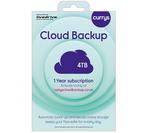
Currys's Cloud Backup - 4 TB, 1 year
Protect your precious photos, important files, favourite music and videos from theft, loss, accidental deletion and ransomware with Cloud Backup from Currys. You get 4 TB of secure online backup for up to 5 mobile and/or tablet devices and up to 5 computing devices. And to keep them safe, your files are backed up automatically1 online using bank level security in secure UK data centres. You can also view your files wherever you are, or share them with friends and family.
- Cloud Backup 4 TB automatically1 backs up your files for 1 year
- Backup for up to 5 mobile and/or tablet devices and up to 5 computing devices, for Windows, Mac, iOS, Android & Chromebook
- Choosing to auto-renew upon activation will mean you won't have to worry about losing your data.2
- Access, edit and share files from anywhere
- Your data is securely protected in UK data centres
- Free web and telephone support available
Access your files from wherever you are from any device – no worries if you've forgotten to take an important document with you on your travels or you want to show off your favourite photos or videos. See your files wherever you are, with apps for iOS, Android, Windows, Mac and Amazon Fire devices.
Free up space on your device – with a dedicated Online Drive, you can store files separately to your backups and free up space on your device. Your Online Drive is accessible from your computer and mobile devices. Simply drag and drop files to the drive to store them in the Cloud. You can then access and edit those files from another device at any point. Plus, you can edit your office documents with our built-in editor on the web portal, or share files with friends in a few clicks.
Find additional support and access our FAQs at:
https://www.currys.co.uk/services/repairs-maintenance/cloud-backup.html
Setting up Cloud Backup
Once you have purchased Cloud Backup from Currys, please follow these steps:
1. Simply go to curryscloudbackup.co.uk to activate your account
2. Follow the onscreen instructions
3. Download and install the software on your computer, phone, and/or tablet
4. Cloud Backup will start backing up your files automatically1
Card details will be required on registration, but no payment will be taken at this point. For full terms & conditions, visit curryscloudbackup.co.uk.
Small print
For full terms & conditions, please ask a colleague in-store or visit www.currys.co.uk/cloudbackup. The service sold by Currys is paid for upfront and continues for a set period of time (1 year).
1. Device must be backed up regularly to restore files. For automatic device backup on mobiles and tablets you must select option after installation.
2. Upon activation, you will be given the option to provide billing details to enable your service to auto-renew at the end of this set period. Choosing to auto-renew will remove any risk of losing data stored in this service at the end of the set period of time. No payment will be taken at the point of activation.
Please see www.currys.co.uk/cloudbackup for our complaints handling policy in relation to cloud services. See our support site at www.currys.co.uk/cloudbackup for detailed minimum requirements. Internet connection required to back up and access files on a computer, smartphone, or tablet. Data charges may apply. Streaming of DRM-protected media (i.e. iTunes video etc.) is not supported.
This service is provided on behalf of Currys Group Limited by Livedrive Internet Limited, 3rd Floor, 18 Mansell Street, London, E1 8AA, who is a third-party service provider. Livedrive's terms of use apply. For more details, including how to cancel, please ask in-store or visit www.currys.co.uk/cloudbackup
_________________
McAfee LiveSafe with new Scam Detector - 1 year for unlimited devices
- It's got a built-in AI Scam Detector that flags suspicious text messages, emails and deepfake videos
- It will warn you about risky websites before you click, so you can bank, shop and connect without worrying
- It's got a built-in AI Scam detector that flags suspicious text messages, emails and more
- With the password manager, you can keep your account safe with the most complex passwords and never worry about not remembering them
- Identity monitoring alerts you if your personal information is at risk - whether that's your personal details, photos or online posts
- With auto-renewal, you'll get a secure unlimited VPN to keep your data and browsing absolutely private
_________________
Please note: App availability for Microsoft 365 Family varies by device/language. Features vary by platform. AI usage limits apply. Learn more [https://go.microsoft.com/fwlink/?linkid=2280151]. Copilot in Excel requires AutoSave to be enabled, meaning the file must be saved to OneDrive; it doesn't function with unsaved files. Copilot features in Outlook apply to accounts with @outlook.com, @hotmail.com, @live.com, or @msn.com email addresses and are available in Outlook.com, Outlook built into Windows, Outlook on Mac, and iOS and Android apps. AI features only available to subscription owner and cannot be shared; usage limits apply. Learn more [https://go.microsoft.com/fwlink/?linkid=2280151]