
RAZER Wolverine V3 Pro Controller & BlackShark V3 X Hyperspeed Wireless Gaming Headset for Xbox Bundle - Black
RAZER Wolverine V3 Pro Controller & BlackShark V3 X Hyperspeed Wireless Gaming Headset for Xbox Bundle - Black
Item No.
10304402


Compatible with PC / XBOX
Anti-drift thumbsticks
Remappable buttons
Buy any computing item & save £10 on McAfee LiveSafe
Free Next Day Delivery (All day 8am-8pm) on selected Gaming
£219.00
*Illustrative example: Credit amount £219.00. Pay 36 monthly payments of £8.87. Total amount payable £319.32. The interest rate for this purchase is 29.9%.
Representative example: Rate of interest 29.9% (variable). 29.9% APR representative (variable). Assumed Credit Limit £1,200.
Credit, offers and APR are subject to status and eligibility and are determined by the lender. 18+. Requires a running Currys flexpay credit account. Promotional interest rates may be offered on selected products from time to time. Minimum spend & exclusions apply. Missed payments may incur late fees/charges and impact you credit file. Currys Group Limited is a credit broker under exclusive arrangements with the lender Creation Consumer Finance Ltd. Authorised & regulated by the Financial Conduct Authority.
Buy Now Pay Later (BNPL): Pay full balance by the end of the BNPL promotion period to avoid interest. Any balance left to pay at the end of your BNPL promotion period will incur interest from the date of your purchase.
Add a headset
now and
Save
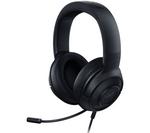
RAZER BlackShark V2 X Gaming Headset - Black
Currys Recommends

Currys Recommends
£59.99
Saved items limit reached (20/20)
To save this item, try removing something else from your
Saved items.
 Checking Stock...
Home delivery
Free standard delivery 3-5 days on orders over £40
Check delivery to your area
Checking Stock...
FREE store collection
Check stores near youFREE store collection
Get breakdown support
Join over 9 million Currys support plan customers.
If your tech breaks down, we’ll fix it fast. If not we’ll replace it on request. That’s our 7 Day Fix Promise.
Add Care & Repair
Add Care & Repair
Breakdown support when you need it.
What you’ll need to make it even better


Currys Recommends
Currys Recommends
4.50
out of 5 stars
4.5/5
£64.99
Compatible with PC / XBOX
Anti-drift thumbsticks
Remappable buttons
Product information
Product code:
444985
Game away to your heart's content with this Razer Wolverine V3 Pro Controller & BlackShark V3 X Hyperspeed Wireless Gaming Headset for Xbox Bundle.
_________________________________________________________________________________
Razer Wolverine V3 Pro Controller for Xbox - Black
Stay one step ahead of the competition with the Wolverine V3 Pro controller. With the same responsiveness as Razer's gaming mice, the 4 Paddles on the handles let you react lightning fast. Claw grip bumpers make sure you won't lose your grip. You can set the Pro Hypertriggers to short pull for instant reactions, or long pull for more precision. The Hall Effect thumbsticks are incredibly accurate and you can customise their sensitivity to fit your style.
Good to know
- The Mecha-tactile action buttons are incredibly fast and make every key push count
- The 8-way floating D-pad means you'll have fast accurate responses, perfect for dealing with items in games
- There's a Razer Controller App that lets you customise your controller to pro levels
- Batteries running low? There's a detachable 3 m USB cable you can use to connect
_________________________________________________________________________________
Razer BlackShark V3 X Hyperspeed Wireless Gaming Headset for Xbox - Black
The Razer BlackShark V3 X will help you keep a clear head while you game. With Gen-2 TriForce 50 mm drivers, you get clear, powerful sound so you can catch every in-game detail.The THX Spatial Audio gives you an amazing positional awareness, so you'll always hear sneaking opponents. And with Razer's HyperSpeed Wireless tech, you don't have to worry about latency.
Good to know
- You can connect it using Bluetooth, 2.4 GHz or a USB Type-C cable
- They can go for up to 70 hours on a single charge
- The memory foam cushions aren't just super comfy, but also block outside noise
- Mute the mic and adjust volume using the earcup controls