Thanks to a heap of handy smartphone apps, getting around has never been easier. That doesn’t mean the trusty sat nav is now redundant though. They’re still well worth a spot on your dashboard. TomTom and Garmin lead the way here. And a sat nav from either offers plenty of useful tech for your next road trip.

What are sat navs?
A sat nav is a device that helps you find your way around. It works by using signals from satellites orbiting the Earth.
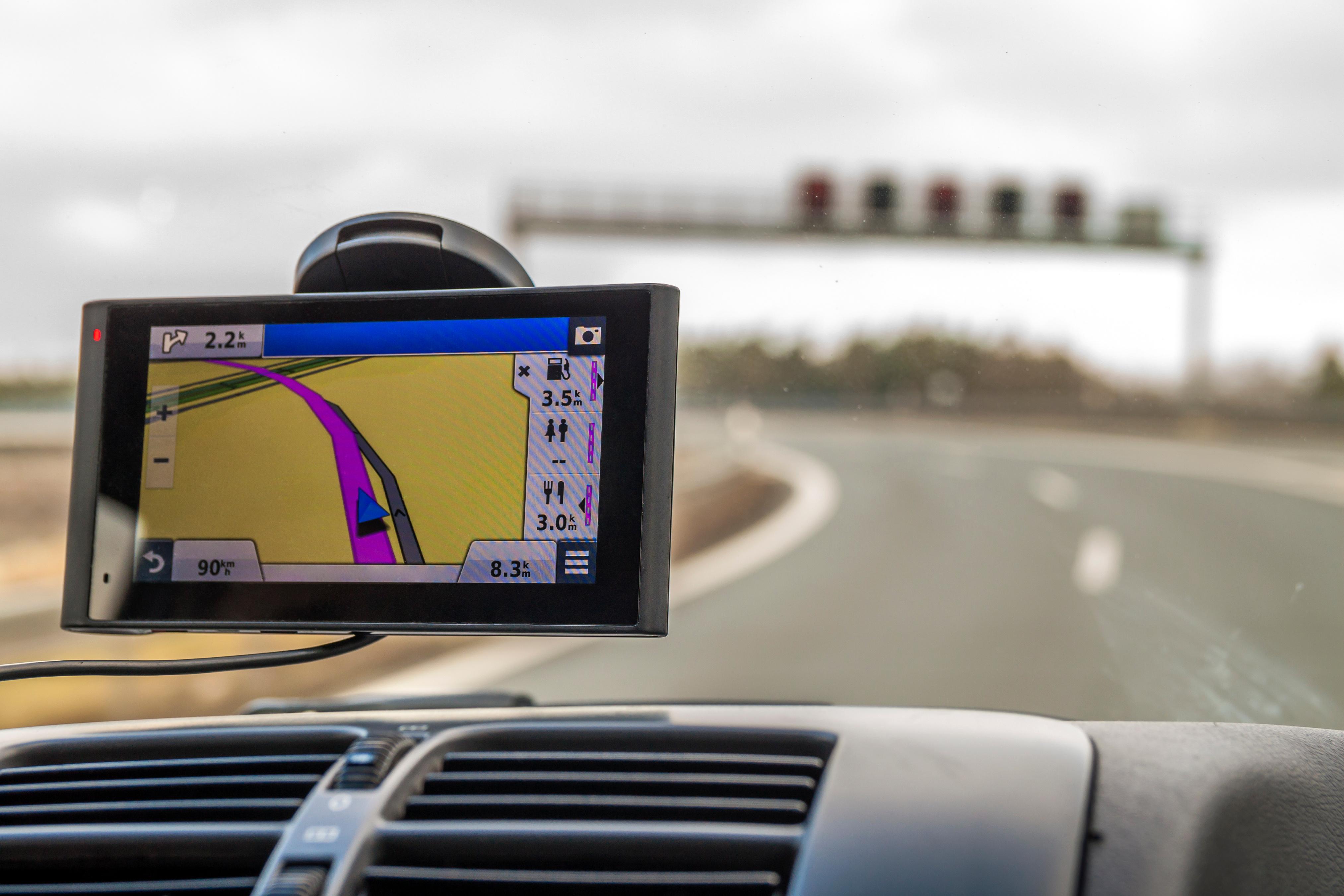
Once it knows your location, your sat nav uses built-in maps to show you where to go. It gives you turn-by-turn directions, tells you your arrival time and can even warn you about traffic jams or speed cameras along the way.
Sat navs come in all shapes and sizes. Some are small units you stick to your dashboard, others are built into your car’s touchscreen system. You can also get sat nav apps on your phone, hiking versions for the outdoors, and even special ones for boats or planes.
Most of the time, sat navs are spot-on—accurate to within a few metres when the sky’s clear. But if you’re in a tunnel, surrounded by tall buildings or deep in the woods, the signal can struggle and the accuracy might drop a bit.
They’re handy for hands-free driving, avoiding traffic, and staying on the right route. Just keep in mind they need regular map updates, a good power supply and a clear view of the sky to work properly.
How do sat navs work?
Sat navs connect to global navigation systems like GPS, Galileo, GLONASS and BeiDou, which constantly send out signals with their position and the time. Your sat nav listens to at least four of them, then figures out exactly where you are and how fast you’re moving.
When you’re driving, these satellites are constantly calculating where you are. When you move out of the zone of one, another picks up your precise location. This all helps to keep you on track.
Can you use a sat nav without internet?
Yes, you can use your in-car sat nav without connecting to the internet. That’s because all the map data you need is already installed on it. And GPS uses its own signal that’s separate to the internet. So, you won’t get lost when there’s no internet connection nearby.
You’ll need to plug your sat nav into your laptop or PC every so often though. Road layouts change fairly regularly – and connecting your sat nav lets you download the latest free map updates. You’ll also be able to access software improvements. And sometimes even entirely new features will be added. Just head to the website of whoever makes your sat nav and get downloading.
What to look for in a sat nav
Make sure to keep an eye out for these useful features when searching for a sat nav:
A good-sized screen – this’ll make it easier to read your maps. Most sat nav screens will be between four and seven inches, so it all depends how big you want to go.
The map library – check out which maps are installed already. Some will come with maps just for the UK and Ireland. Others will also have maps for the rest of Europe - and even ones for other continents too. Think about where you’ll be driving and get a sat nav to match.
Real-time traffic info – find out when you’re about to grind to a standstill. Then reduce those annoying delays with an alternate route.
Free updates – download the most up-to-date road information straight to your sat nav. It’ll help avoid any unexpected car calamities.

What is the best sat nav for a car?
The TomTom Go Superior is a great shout. It’s accurate. It’s safe. And it’s easy to get started with.
In a rush? Get in the car and go with the smart Tap & Go feature. Tap a point on the map and navigate straight there. It’s ideal for those quick local journeys. No faffing required.
If you’re heading a bit further, you’re bound to hit a motorway at some stage. That’s where Advanced Lane Guidance comes in. Motorway driving can be difficult – especially when you don’t know where you’re going. But this function makes long drives calm and easy. It’ll guide you to the right lane when approaching a junction. And it’ll give you plenty of warning to do it too.
Even if you’re just heading to the high street, Parking Assist makes driving in town stress-free. We’ve all been there. Sometimes it can be a nightmare finding a spot to leave the car. Parking Assist will show you the closest available parking spaces. That means calmer driving. And no more being late for that important appointment.
Can I use my phone as a sat nav?
Absolutely. You can download various apps to your smartphone that’ll show you where to go. Most phones already have a built-in bit of software, but Google Maps is probably your best bet. It works on Android and iPhone devices, and functions like a sat nav. Just pop in your destination and start driving. You’ll need a mount or cradle for your car first though. Your phone will be safe and you’ll be able to see exactly where you’re going.
Sat nav FAQs
How do I update my car sat nav?
Updating your maps makes sure your sat nav knows about new roads, junctions and speed limits. Here’s how it’s usually done:
Check the brand. Garmin, TomTom and in-car systems like VW or Ford each have their own process.
Find the update tool. Most brands have a free app or website where you enter your sat nav model.
Download the maps. You’ll be saving them to a USB stick or SD card, or directly to the sat nav if it connects to Wi-Fi.
Plug it in. Stick the USB or SD into your car or device, and follow the instructions on screen. Keep the engine running so the power doesn’t cut out.
Let it finish. It can take anywhere from 30 minutes to over an hour, especially for full European maps. Wait until it says it’s done before unplugging.
Repeat now and then. Aim for a couple of times a year, or whenever you get a reminder from the manufacturer.
Are sat navs obsolete?
Not even close. Phones can do a lot these days, but sat navs still have a solid place in your car. Dedicated sat navs don’t need a mobile signal, so they’re perfect when you’re off the beaten track. The screens are bigger and easier to read, and they won’t run down your phone battery while you drive. Some let you plug in your vehicle’s size to avoid roads that aren’t suitable, and lots come with lifetime map updates and live traffic news.
Are sat navs worth it?
They’re well worth it if you drive a lot, go on long trips, or head into rural areas where the phone signal might drop out. It’s also handy having a device that lives in the car, so you’re always ready to go—no need to fiddle with your phone or worry about charging it. The latest sat navs come with extras like lane guidance, speed-camera alerts, and even dash cams built in. If you do serious miles, or tow a trailer or caravan, those features can be a real help.
If you mostly do short local trips and already use your phone with a good mount, you might not need a separate device. But for anything more than the usual school run or supermarket dash, a sat nav can still make life easier.
Do sat navs need internet?
Nope, not for basic navigation. They use satellite signals to find your location, and those work without any internet at all. So even if you’re miles from the nearest phone mast, your sat nav can still guide you.
That said, some of the extra features do need a data connection. Live traffic updates, fuel prices, and speed camera alerts usually come through your phone or a built-in SIM. Most sat navs (and apps) let you download maps ahead of time too, so you can keep navigating even if you lose signal, then update everything once you’re back online.

Need some more great sat nav suggestions? Head over to ShopLive. Our tech experts can guide you in the right direction on all things sat navs. You can do it all from the comfort of your sofa too.