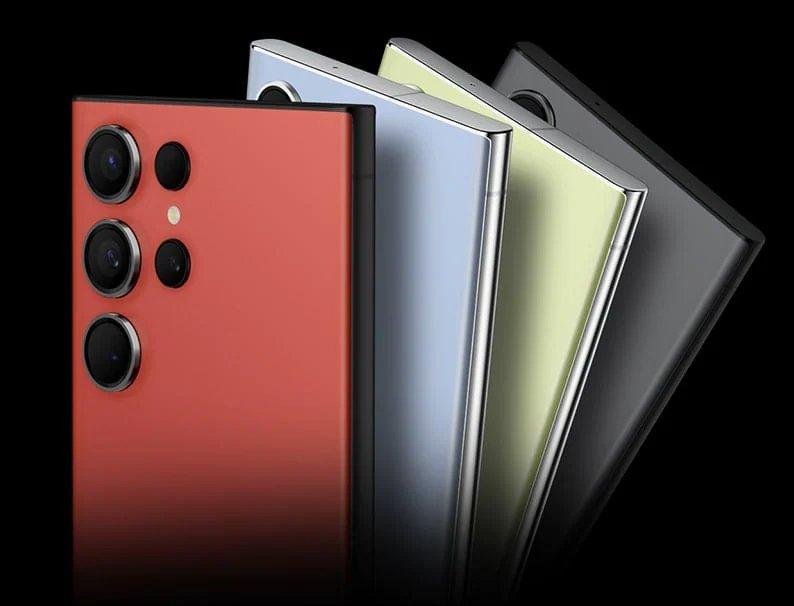
Mobile phones are getting seriously smart, thanks to the power of Ai (artificial intelligence). If you’ve got a premium phone from one of the well-known brands, chances are it’s using Ai to make your life better.
You’ll also find Ai in lots of less-than-premium phones. It doesn’t take long for the best mobile tech to ‘trickle down’ into mid-range and budget handsets. So even if you’re counting the pennies, you’ll be able to upgrade to an Ai phone packed with clever features.


What is Ai on phones?
With Ai on your actual device, all the thinking is done on the phone itself. The Ai doesn’t have to rely on any cloud-based services or external servers – so you don’t need to be connected to the internet. This is good for your security and privacy, and it gives you faster response times too.
Having Ai on your smartphone can make your life easier (and more fun) in lots of ways. We’ve rounded up a few of our favourites below.
How smartphone Ai is being used
Smart assistance. Voice-controlled assistants like Siri and Google Assistant use Ai to access information almost instantly, automate routine tasks for you, and answer almost any question you ask.

Navigation. Ai-driven navigation apps like Google Maps and Waze give can offer you real-time traffic updates, alternative routes, and turn-by-turn directions. So you can reach your destination quicker, whether you’re driving, walking, or relying on public transport.
Voice-to-text transcriptions. Ai-based voice-to-text transcription apps let you transcribe meetings, interviews, lectures, and other audio recordings into text in real-time. So, no more trying to decipher hastily scribbled notes. Yay to that!
Smart calendar management. Ai-driven calendar apps can analyse your schedules, preferences, and past actions to suggest meeting times, remind you of upcoming events, and automatically add relevant information (such as location and attendees) to all your event entries. This can completely streamline your scheduling process, and make a huge difference to your time management.
Augmented reality. AR apps like Snapchat and Pokémon GO overlay imaginary objects and digital information onto the real world through the smartphone's camera. This gives you exciting and immersive new experiences, and new ways to interact with the world. Don’t get too immersed though, and always be aware of your real-life surroundings!
How generative Ai is changing smartphone use
Generative Ai is the latest type of smartphone technology. It’s capable of creating content like images, text, or even music, based on patterns it learns from existing data.
Unlike older Ai, smartphones with generative Ai can produce original content - rather than just recognizing or processing existing information. It basically makes your phone more creative, giving it the power to produce relevant content that it wasn't explicitly programmed to create.
How the Samsung Galaxy S26 is using generative Ai
The future of Galaxy AI is here with the Samsung Galaxy S26 Series. Galaxy AI gives you smarter, faster ways to get things done - just press and hold the power button to launch your AI assistant, and a single voice command can work across different apps to take care of tasks in an instant.
Planning your day? Ask your Galaxy S26 to find upcoming gigs from your favourite artist and add them straight to your calendar. Seen a delicious recipe online? Simply ask, “What is this and how do I make it?” and Galaxy AI will identify the dish and provide step‑by‑step instructions right away.
Searching inside your apps is easier too. Whether you need photos from a recent family trip or documents for work, Galaxy AI will instantly gather them for you - no endless scrolling required. And with intelligent tools like Photo Assist and Now Nudge, the S26 adapts to how you use your phone, helping you edit images, stay organised and stay one step ahead throughout the day.
How the Google Pixel 10 is using generative Ai
The Google Pixel 10 takes everything clever about the Pixel range and makes it feel even more natural to use. It’s powered by Google’s Gemini Nano, which runs right on the phone. So all the smart stuff happens instantly, even if you’re offline.
The Magic Editor can tidy up your photos in seconds. It lets you move things around, fix the lighting, or swap out a dull sky for something more dramatic. You can even create your own AI wallpapers that change with your mood.
Gemini’s also handy for day-to-day things. Magic Cue helps you write messages that sound like you. Summarise gives you quick takeaways from long articles. Real-time translation makes chatting across languages feel totally normal. There’s even a little Camera Coach that pops up with tips while you’re taking photos.
If you want to go further, the Google AI Pro subscription adds extra creative tools and advanced editing options. It gives you access to next-level filters, clever background swaps, and premium templates. It’s perfect for anyone who loves playing around with their snaps until they’re just right. To sign up, just tap the ‘Upgrade to Pro’ button in your Pixel’s photo editor. Then follow the on-screen instructions and choose a plan that suits you (there’s usually a free trial to get you started).
You can read more about the Google Pixel 10 series, or check out the Google Pixel 10, Google Pixel 10a, Google Pixel 10 Pro XL, and all our Google Pixel phones.
How the Samsung Galaxy Z Fold 7 is using generative AI
The Samsung Galaxy Z Fold 7 is built for people who like to do a bit of everything at once. With Galaxy AI baked in, it uses its big foldable screen to make multitasking feel effortless. You can open a few apps at side by side, and do things like translating a message, taking notes, or pulling up reports - all at the same time. The Now Brief feature keeps you in the loop at all times, rounding up the useful stuff from your day so you don’t have to dig around for it.
When you fancy getting creative, Photo Assist and Generative Edit make photo editing as easy as dragging and dropping. You can tweak shots, remove distractions or adjust the background, all with a quick tap.
How the Samsung Galaxy Flip 7 is using generative AI

The Samsung Galaxy Z Flip 7 is small, smart and surprisingly useful before you’ve even opened it. Thanks to Gemini Live, the cover screen (or FlexWindow) can now do a lot more than just show notifications. You can check messages, jot notes, get outfit ideas or translate a chat - all from the outside. It even supports DeX mode, so you can plug in and use it like a mini laptop when you need to.
The camera’s had an AI boost too. Best Take and Photo Assist make sure your selfies and flex-mode shots look their best, and low-light photos come out clearer than ever. AI can also give you quick summaries of messages or social updates, so you can catch up with everything at a glance.
Privacy and security on smartphone Ai
It’s perfectly natural to have concerns about data privacy and security when it comes to Ai. But on-device Ai actually has quite a few advantages when it comes to keeping your personal info safe. Here are the main benefits:
Your data stays put. With on-device Ai, your personal data doesn't leave your phone. Everything from voice commands to photo recognition happens right on your device, keeping your information safe and sound.
It works offline. Unlike cloud-based systems, on-device Ai doesn't require a constant internet connection to function. All your interactions happen locally, without any data or personal information being sent anywhere else.
Layers of protection. Phone manufacturers like Apple, Samsung and Google invest heavily in security measures to protect your data. From military-grade encryption to biometric authentication, there are layers of protection designed to keep your personal info safe.
User control. All good mobile phones now let you control lots of privacy settings, including permissions for Ai features. You can enable or disable features as you see fit, giving you more control over your data.
FAQs
What is on-device intelligence?
Device intelligence refers to the Ai tech built into gadgets, allowing them to understand, adapt, and interact with users and their surroundings. It's like giving your devices a brain. From smartphones to smart thermostats, they can learn your habits, anticipate your needs, and even communicate with other devices to make life easier.
How do I get Ai on my phone?
There’s a good chance you probably already have Ai on your phone. Lots of phones from the most popular brands come with built-in Ai features, like smart assistants (Siri, Google Assistant) and tools that make your camera, battery, and apps work better. If you want more, you can download Ai-powered apps from your app store - just look for apps that mention Ai or machine learning in their features, and give them a try!
How do I use Ai on the Galaxy S26?
A lot of the clever AI stuff happens automatically on the Galaxy S26 phones, but not everything is turned on by default. To make sure you’re getting the most out of Galaxy Ai, we recommend switching on these settings as soon as you can:
Ai photo editing. One of our favourite AI features on the S26 is Generative Edit, which allows you to remove, resize and amend almost anything you see in a photo.
Go to Settings > Advanced features > Advanced intelligence > Photo Editor. Then toggle on Generative edit.Real-time phone call translation. You should definitely turn on Live Translate, which gives you real-time voice translation during phone calls.
Go to Settings > Advanced features > Advanced intelligence > Phone. Then toggle on Live translate.Voice recording summaries. The Voice recorder on your S26 uses AI to do lots more than recording sounds. It can also transcribe audio into text – and even summarize it into handy bite-sized pieces for you. Very handy if you’re sitting through a long work presentation or university lecture.
Go to Settings > Advanced features > Advanced intelligence > Voice Recorder. Then toggle on Summaries.
Any more questions?
Fancy upgrading to an Ai-powered phone? Check out our mobile buying guide and the best phones. If you want to talk to an expert, feel free to pop into one of our stores for a chat.
Tech now, pay later
If you get a new Ai phone you can buy now, pay later with a flexible credit account. With flexible credit we make spreading the cost of your tech easy to manage. 29.9% APR representative (variable). And you can choose the term that suits your monthly budget, from 12 to 36 months.