


Is your mobile phone locked or unlocked? You need to know this before you switch networks, go for a SIM only deal, or use a local SIM when travelling.
Why do you need to know, exactly? Well, an unlocked phone can accept SIM cards from any network. A locked phone can’t - and that could cause issues. You might insert a new SIM and see an error message. Or you might find out that you’re stuck with your current network. And you don’t want that.
In this guide, we’ll explain what an ‘unlocked phone’ actually is, and the benefits of owning one. We’ll also show you the easiest ways to check if your phone’s locked, and how to unlock it if needed.
What does ‘unlocked phone’ mean?
A phone is unlocked when it can use SIM cards from any mobile network. SIM free phones from Currys are always unlocked, but if you’ve bought your phone elsewhere that might not be the case.
A locked phone only works with the network it originally came from. While this is less common than it used to be, plenty of older or second-hand phones are still locked.
Knowing if your phone is unlocked matters, because it means you can do more with it. Here are a few of the main benefits…
Benefits of unlocking your phone

An unlocked phone gives you some big advantages over a locked one:
Switch networks any time. If another provider has a better deal, better speeds, or better signal in your area, an unlocked phone lets you move straight away.
Avoid high roaming fees abroad. With an unlocked phone you can buy a cheap local SIM when travelling, and use calls, texts, and data at local rates.
Higher resale value. People prefer phones they can use with any network, so unlocked phones usually sell faster and at a better price.
More control overall. If your current network’s performance dips or customer service isn’t great, having an unlocked phone means you’re not stuck with them for longer than you need to be.
How to tell if your phone is locked
So, is your phone locked or unlocked? You can check this quickly with a few simple methods:
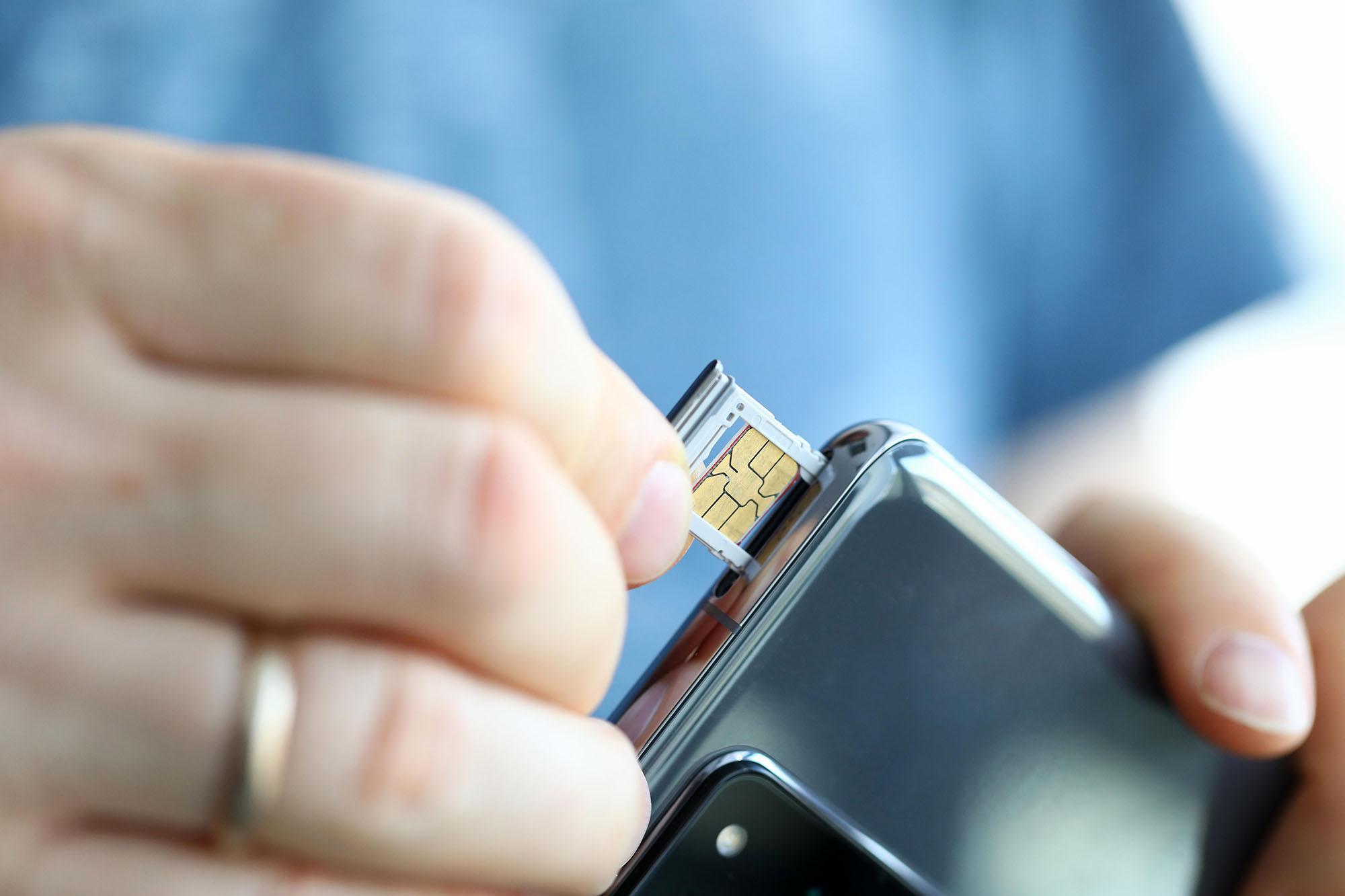
Method 1. Try a SIM card from another network
This is the most reliable way to find out if your phone is locked. Follow these simple steps:
Turn off your phone.
Remove your current SIM card.
Insert a SIM from a different network.
Turn your phone back on.
If the phone is unlocked: It will show signal bars and the name of the new network, and you’ll be able to make calls or use mobile data.
If the phone is locked: The phone won’t recognise the SIM. You may see messages such as:
“Invalid SIM”
“SIM not supported”
“Network locked”
“Enter network unlock code”
“SIM not valid”
Any of these usually means the phone can only use SIMs from its original network.
Method 2: Check your phone’s settings
If you don’t have access to another SIM, your phone’s software can give you a good clue. Here’s what you need to do:
On iPhone:
Go to Settings
Tap General
Tap About
Look for Carrier Lock
You’ll see one of two messages. “No SIM restrictions” means the phone is unlocked. Anything else means it’s most likely locked
On Android:
Android menus differ by brand, but the method for checking that it’s unlocked is usually something like this:
Go to Settings / Connections / Network & Internet / Mobile networks / Network operators
If you can see a list of available networks and select between them, your phone should be unlocked. If you can only see your current provider, it’s probably locked.
Method 3: Check using your IMEI number
Your IMEI (International Mobile Equipment Identity) number can also be used to check if your phone’s locked. This method is especially useful if you bought the phone second-hand and don’t know its history.
To find it, dial *#06# on your phone. Your IMEI will appear on screen. Once you have it, you can:
Contact your network provider and ask if the phone is locked.
Use a trustworthy IMEI checking website, such as IMEI.info.
How to unlock your phone

If your phone turns out to be locked, don’t worry. Unlocking it is usually straightforward. Here’s how to do it properly, depending on where your phone came from.
Contact your network provider
This is the safest and most reliable method. Call your network and they can tell you instantly if your phone is locked and unlock it for you. Most networks will:
Unlock your phone for free once your contract has ended.
In some cases, they can unlock it during your contract for a small fee.
Send you a text or email confirmation once the unlock is complete.
Use an official unlock code
Some networks will provide an unlock code you type into your phone. If your phone asks for a “network unlock code” when you insert a new SIM, this is the code it’s referring to. Once you enter it correctly:
Your phone becomes permanently unlocked
You won’t need the code again
You can use any SIM right away
Avoid third-party unlock tools
Please steer clear of third-party unlocking tools, apps or websites. While some are legitimate, others are risky and can:
Make your phone unusable.
Invalidate your warranty.
Use unofficial software.
Remember - unlocking via your network is the safest option.
FAQs
Can I unlock my phone for free?
Usually, yes. Most networks unlock phones for free once your contract ends, and some sell phones already unlocked. If you’re not sure, your provider can check instantly.
Can I call my phone’s manufacturer to unlock it?
That might not work. Major brands like Apple, Samsung and Google, don’t unlock phones themselves. Instead, they’ll direct you back to your network provider.
Will unlocking my phone delete my data?
No. Unlocking doesn’t affect your apps, photos, or settings. It only changes how the phone connects to networks.
Can I use an eSIM to check if my phone is unlocked?
Sometimes. If your phone lets you add an eSIM from another network, that usually means it’s unlocked. But because eSIM support varies, using a physical SIM is still the simplest test.
Any more questions?
We’ve got lots more mobile advice to help you get the most out of your phone, especially when you’re setting it up. For example, here’s how to activate a new SIM card, and how to keep your number when you change phones. If you want to talk to an expert, feel free to pop into one of our stores for a chat.