

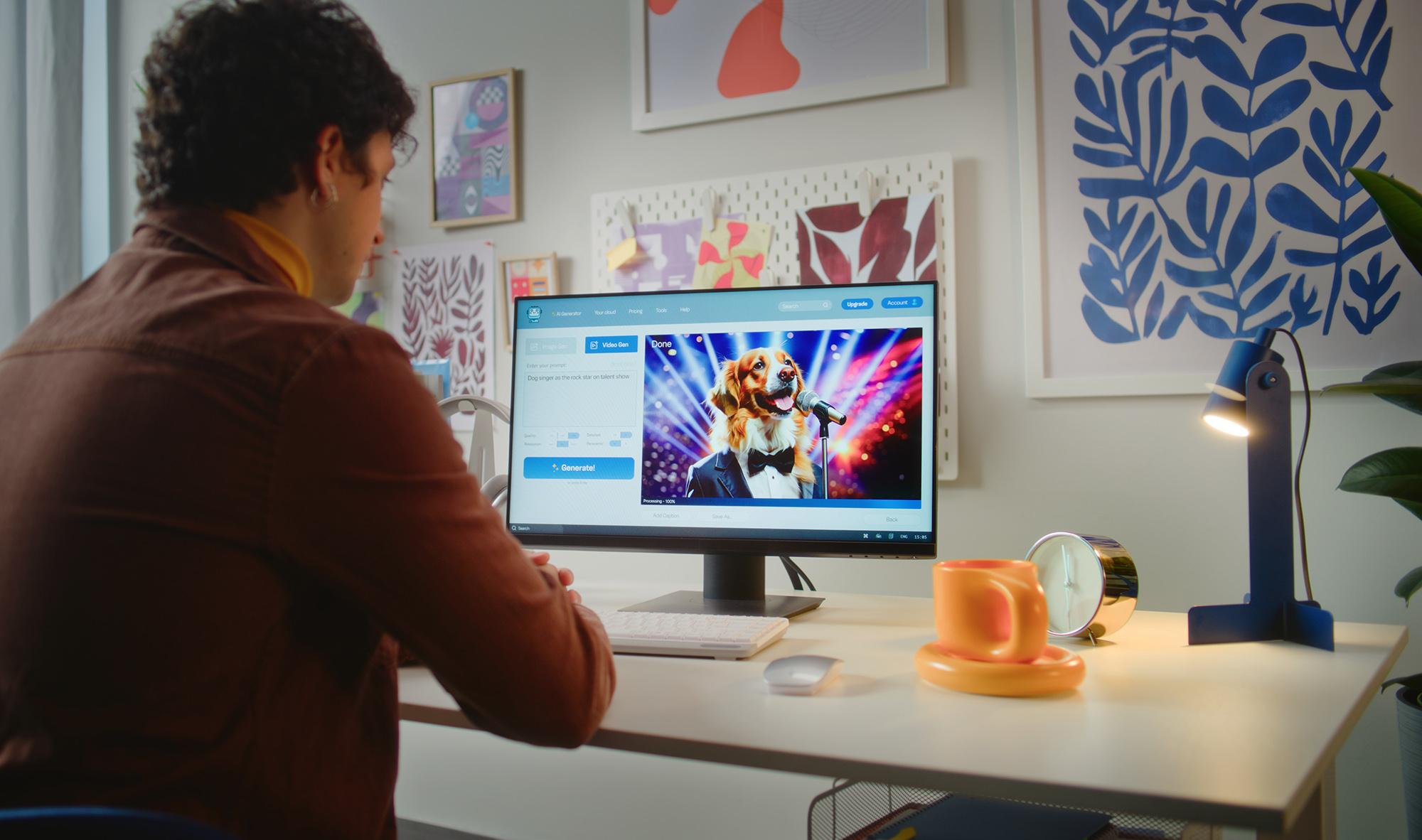
Want to turn an idea into a video without picking up a camera? Create a moving scene from a single image? Bring a written description to life? With AI video generators, you can.
In this guide, we’ll look at how AI video generators work, what they’re good at, where they can still trip up, and how to get better results from your prompts. We’ll also cover the tech you need, and some simple checks to make before sharing your finished video.
What is an AI video generator?
An AI video generator uses machine learning to create or change video based on your instructions or source material. There are a few different ways they can work:
Text-to-video: create a visual clip from a written description.
Image-to-video: add movement to a still image.
Script-to-video: turn a written content into a complete video, often with narration.
Video-to-video: transform existing footage with AI effects or a different visual style.
AI editing: use AI for jobs such as removing backgrounds or generating captions.
Some video generators are standalone websites or apps, such as Adobe Firefly, while others are built into software you may already use. Microsoft Copilot has a Create a video feature that uses Copilot and Clipchamp. And Clipchamp also has its own AI video creation tools.
How do AI video generators work?
AI video generators turn instructions and source material into moving images. You can start with a written prompt, image, script or existing video. AI analyses it, then predicts how the subject, movement, setting and style should look from frame to frame.
Depending on the tool, it can also add speech, music, captions, transitions and effects. The process is usually iterative: generate a clip, review it, adjust your instructions and try again.
How to write a good prompt for an AI video generator
To write a good prompt for your AI video generator, start with what you want to see and add detail where it matters. A useful prompt might look like this:
“A fox dressed as a private detective walking through a city at night-time, camera tracking it closely, neon lighting, cinematic noir-cartoon style, widescreen format, no text or logos.”

It’s a good prompt because it covers a lot of things: the subject, action, location, camera movement, lighting, visual style, format and things to avoid.
If the result isn’t right, change one thing at a time. Save prompts that work well so you can reuse them. Also, don’t be afraid to regenerate. AI video creation can involve lots of trial and error.
What can AI video generators do well?
AI video generators are especially useful for short, visually simple ideas. It depends on the tool you use, but here are a few things you might be able to do:
Create short clips and animate still images.
Make backgrounds, visual concepts and storyboards.
Turn scripts into presentations or avatar-led explainers.
Add captions, voiceovers, translations and effects.
Speed up repetitive editing tasks, such as background removal.
For more ways AI can help with visual content, check out this article on using AI for presentations and our guide to the best photo editors.
What can’t AI video generators do reliably?
AI videos can look impressive, but they’re not always perfect. AI models don’t have a human understanding of the real world, so their outputs can contain visual or factual errors. For example, faces, hands, clothing, objects, reflections and movement can sometimes change or look a little odd.
Longer or more complicated videos can be trickier too. Keeping the same person, place and details consistent across several scenes is sometimes a challenge for AI. Speech and lip-sync can also look off sometimes.
What device do you need to generate AI videos?

A modern laptop, web browser and reliable internet connection are usually enough for cloud-based AI video tools. That’s because the actual generation happens on the provider’s servers.
If the AI runs on your computer, you’ll need more capable hardware. Look for a fast processor, decent RAM and storage, good graphics performance and an NPU chip designed to handle AI tasks efficiently.
For example, the Microsoft Surface laptop 15" Copilot+ PC combines a Snapdragon X Elite processor with a dedicated NPU. It has up to 32GB RAM and 1TB storage, useful for AI features and video editing.
The HP OmniBook 5 16" laptop has a larger 16-inch screen, giving you more room for video timelines and previews. It comes with up to 32GB RAM and an NPU to speed up AI-powered features.
Are AI-generated videos safe and legal to use?
AI-generated content can involve copyright, privacy and disclosure rules, so it’s worth checking a few basics before sharing your video:
Check what you’re allowed to use. Make sure you have the right to use any images, footage, music, voices or other content you provide to the AI tool.
Think about people and voices. Don’t clone or use someone’s face or voice without the appropriate permission.
Check disclosure rules. Some platforms, adverts and types of AI-generated content may need to be clearly labelled as AI.
Read the tool’s terms. Check how you’re allowed to use the videos it generates, especially for commercial work.
Need more help?
For more AI ideas and inspiration, check out our articles on using AI to write essays and Microsoft Copilot tips and tricks. If you’re looking for a new laptop, read our laptop buying guide and the best laptops for writers in 2026. If you’d like to chat to a real-life expert, pop in-store and speak with one of our colleagues. They’ll happily answer all your tech questions.
FAQs
What is an AI video generator?
An AI video generator is a tool that uses artificial intelligence to create or edit video. Simply give it instructions or content to work with, and it uses AI to produce the result. You’ll find video generators on websites, apps and features in creative software such as Adobe.
What can AI video generators do?
AI video generators can make video creation quicker and easier, helping you turn ideas into content without needing advanced editing skills. They’re useful for social media, marketing, presentations and explainers - and they can help you experiment with different approaches before settling on a final video.
Can AI video generators replace filming and editing?
AI video generators can speed up creative work, from creating storyboards to making short clips with supporting visuals. Real footage is still best for authentic events, product demonstrations and human performances. For a lot of projects, combining AI video generation with traditional filming and editing gives you good results.
What can’t AI video generators do reliably?
AI video generators can still struggle with consistency, precise movement, readable text and realistic physical details. Generated footage can also contain factual errors.
Can I use an AI-generated video commercially?
You may be able to use an AI-generated video commercially, but it depends on the generator’s terms, your input material and the content you’ve created. Check the service’s commercial-use licence before publishing, and make sure you have the necessary rights to any footage, images, music, voices or other material.
Who owns an AI-generated video?
Ownership depends on how the video was created, the AI service’s terms and the law that applies. In the UK, copyright protection can depend on the level of human creative input.
Why do AI-generated videos sometimes look strange?
AI-generated videos can look strange because the model creates a sequence of frames rather than recording a real scene. It can lose track of details as objects move - causing faces, hands and backgrounds to change. Complex instructions and longer scenes can make inconsistencies more noticeable. But remember, AI is improving all the time.