

Every part of a computer is important, but everything happens because of processors. They’re the brain behind every computer, running an incredibly complex series of calculations and tasks that enable us to do everything from load a web page to build an entire website.
Whether you’re shopping for a laptop or building a PC and looking for components and upgrades, knowing exactly what a processor’s for and what kind of processor you need is very important. So, in this guide will explain everything processor in a clear way that everyone can understand – plus answer some of your biggest processor questions.
What is a processor in computers?
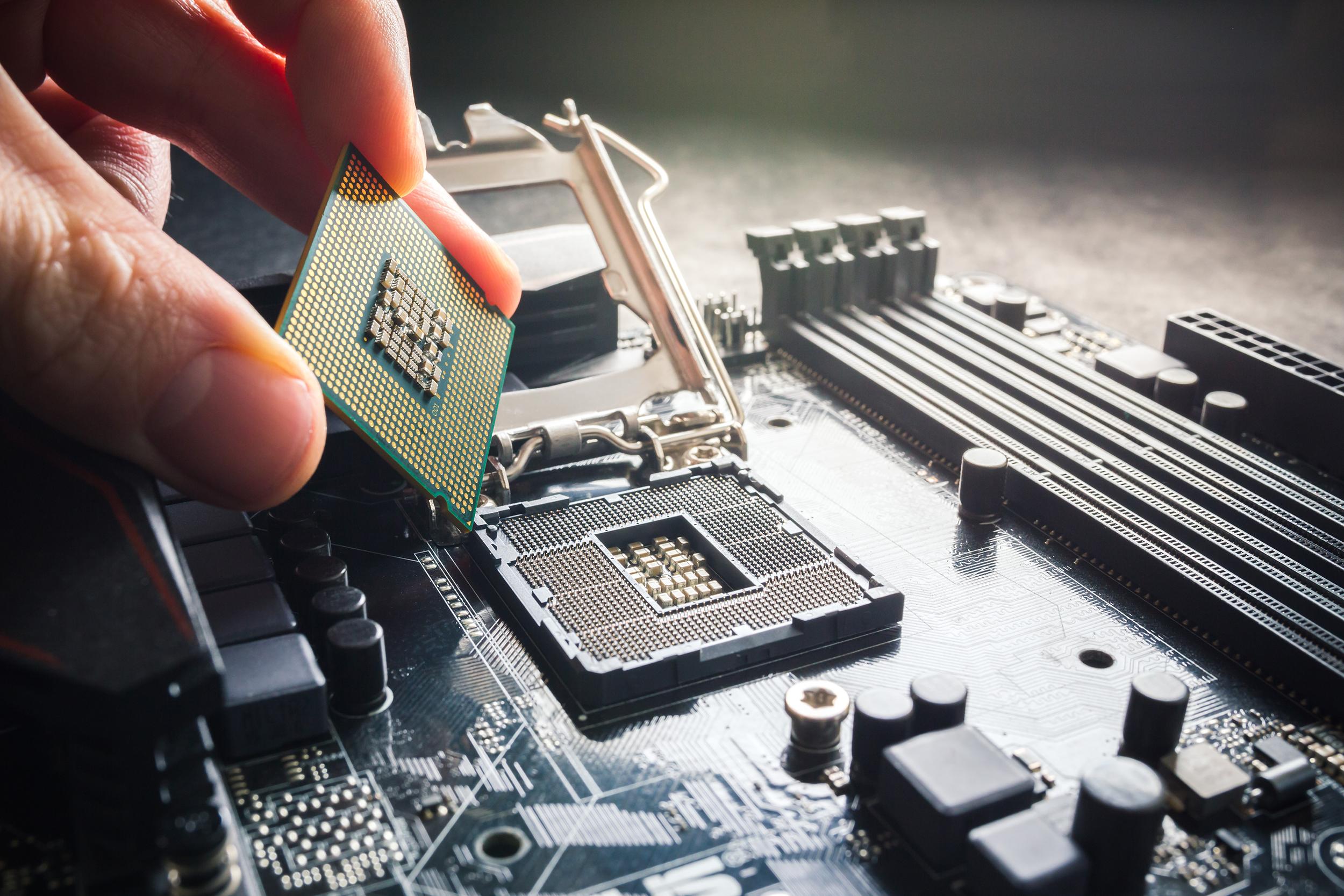
A processor, also known as a central processing unit (CPU), is a small but mighty electronic chip that serves as the brain of a computer. The processor receives instructions from various apps, interprets them, performs calculations and manages data flow. Your processor is pulling the strings and making everything happen.
What does a processor do?
A processor's primary function is executing instructions (often in binary code) sent to it from software programs. These instructions include all kinds of of tasks, from basic arithmetic to complicated data manipulation. To put it another way, it makes everything work the way it should!
The processor fetches an instruction from memory, decodes it to understand the task, performs calculations, and then puts the result back in memory. This lightning-fast process occurs billions of times per second, allowing your computer to perform tasks with incredible speed.
CPU vs processor: what’s the difference?
The terms "CPU" and "processor" are often used interchangeably, but they actually refer to different aspects of the same thing.
CPU stands for Central Processing Unit and is a subset of the processor. The CPU specifically refers to the unit responsible for executing instructions.
The processor is actually the entire physical chip, which includes other components like cache memory and control units.
Types of processors
Not all processors are the same, and each is built with a specific need in mind. The most important thing to know about are cores. A core is a processing unit capable of executing tasks independently. Single-core processors handle tasks one at a time, while multi-core processors can muti-task – which are better for overall performance.
Intel processors (for example) offer a range of processors – from the i3 to i9 – which increase in number of cores, power and price.
Processors are categorised by their architecture, clock speed and power efficiency. Common processor types include Intel processors and AMD processors. Some processors are built to take on everyday computing which others are more powerful and can handle professional video editing and pro gaming.

How does a processor work inside your device?
So we know that the CPU is the brains of the device, but what is it actually up to? Here’s a step-by-step breakdown of how it works:
Fetching instructions: The processor starts by fetching instructions from the memory. These instructions are stored in a program and are read one by one from the RAM (Random Access Memory) into the processor's instruction register.
Decoding instructions: Once an instruction is fetched, the processor decodes it to understand what operation needs to be performed. This is done by the control unit, which translates the instruction into a series of signals that the other parts of the processor can understand.
Executing instructions: After decoding, the processor executes the instruction. This could involve performing arithmetic or logical operations, moving data between registers or accessing memory. The execution is carried out by the arithmetic logic unit (ALU) and other functional units.
Storing results: The results of the executed instruction are stored back into memory or registers. This step ensures that the data is available for future operations.
Fetching the next instruction: The processor then fetches the next instruction and repeats the process. This cycle continues until the program is completed.
Control flow: The control unit also manages the flow of instructions, handling things like conditional jumps, loops and function calls. That means the processor follows the correct sequence of operations.
Parallel processing: Modern processors can handle multiple instructions simultaneously through techniques like pipelining, where different stages of the instruction cycle are processed in parallel. Also, multi-core processing means that multiple cores work on different tasks at the same time.
Cache management: To speed up the process, processors use cache memory. This is small, fast memory that stores frequently used data and instructions. This reduces the time needed to fetch data from the slower main memory.
Power management: In devices like laptops, processors also have power management features to optimise performance and battery life. This can involve dynamically adjusting the clock speed and voltage based on the workload.

Does a laptop have a processor?
The processor in a laptop is one of its most crucial components, just like in a desktop computer. However, laptop processors are designed to be more power-efficient and generate less heat compared to their desktop counterparts. Here’s how they differ:
Power efficiency: Laptop processors are optimised to use less power to extend battery life. They often have features like dynamic clock speed adjustment and power gating to reduce energy consumption when the workload is low.
Heat management: Laptops have limited space for cooling, so their processors are designed to produce less heat. They often have lower thermal design power (TDP) ratings and may include advanced thermal management features like thermal throttling.
Size and form factor: Laptop processors are typically smaller and have a different form factor to fit into the compact space of a laptop. They are often integrated with other components like the GPU (Graphics Processing Unit) to save space and power.
Performance: While desktop processors generally offer higher performance due to their larger size and better cooling, laptop processors have made significant strides in recent years. High-end laptop processors can now rival the performance of mid-range desktop CPUs, making them suitable for demanding tasks like video editing and gaming.
What makes a processor fast or powerful?
Several factors contribute to the speed and power of a processor:
Clock speed (GHz): This is the number of cycles the processor can perform per second. A higher clock speed generally means the processor can execute more instructions in a given time, making it faster. For example, a 3.5 GHz processor can perform 3.5 billion cycles per second.
Core count: Modern processors have multiple cores, which can handle multiple tasks simultaneously. A processor with more cores can generally perform better in multi-threaded applications, such as video editing, 3D rendering and running multiple programs at once.
Cache size: A larger cache size can reduce the time the processor spends waiting for data from the main memory, improving overall performance.
Architecture: The design of the processor, known as its architecture, plays a significant role in its performance. Advanced architectures can optimise the way instructions are processed, reduce latency and improve efficiency.
Frequently Asked Questions
How to compare computer processors?
When comparing processors, look at the number of cores, clock speed, cache size and architecture. Look online for things like benchmark scores and real-world performance tests. If you’re buying software or a game, you’ll be able to check out the recommended specs for the computer than can run them smoothly.
How are computer processor speeds measured?
Processor speed is measured in hertz (Hz) and gigahertz (GHz). It reflects the number of cycles the processor can execute per second. A higher clock speed generally indicates better performance, but it’s not the only measure of performance.
Can I upgrade my computer processor?
If you’ve got a desktop PC, then yes. Laptops can be much harder to access and upgrade. In your desktop PC, it’s important to check that the CPU you want is compatible with your motherboard. Upgrading a processor can boost performance, but if you’re not sure what you’re doing, it’s a good idea to get some expert help.
What is the best computer processor for a laptop?
Selecting the best processor for a laptop all depends on what you’re using it for. For general tasks like online shopping, streaming shows and most office work, a mid-range processor like an Intel Core i5 or an AMD Ryzen 5 is ideal for taking on the job.
Gamers and content creators might want to look at higher-end options like Intel Core i7 or AMD Ryzen 7 processors - which have more power to multitask and greater graphics skills.
What is the best processor for a desktop computer?
Desktop computers can do pretty much everything, from casual browsing to handling the most demanding apps. A powerful processor, like an Intel Core i9 or an AMD Ryzen 9, is ideal for users who need top-tier performance for gaming, video editing and software development.
At the other end of the scale are processors like Intel Core i3 or AMD Ryzen 3 – they’re still great for everyday tasks and are cheaper. So, it really depends on what you want your desktop to do.
For more info and guidance on components and parts for desktop PCs, check out our Gaming accessories buying guide.