

Choosing a new computer in 2026 shouldn’t feel like a research project… but there’s no much choice! Space saving Mini PCs are booming, portable laptops now pack the power once reserved for desktops and all‑in‑one PCs give you everything you need. So it’s easy to get stuck. But remote work, smaller living spaces and multi‑screen setups have changed what “best computer” really means - so the right choice now depends on how you actually live and work.
Let’s break down the three big options if you don’t want to fo full-sized desktop, so you can pick the one that really fits in with your day‑to‑day life.
What is a mini PC, laptop and all‑in‑one PC?
Mini PC
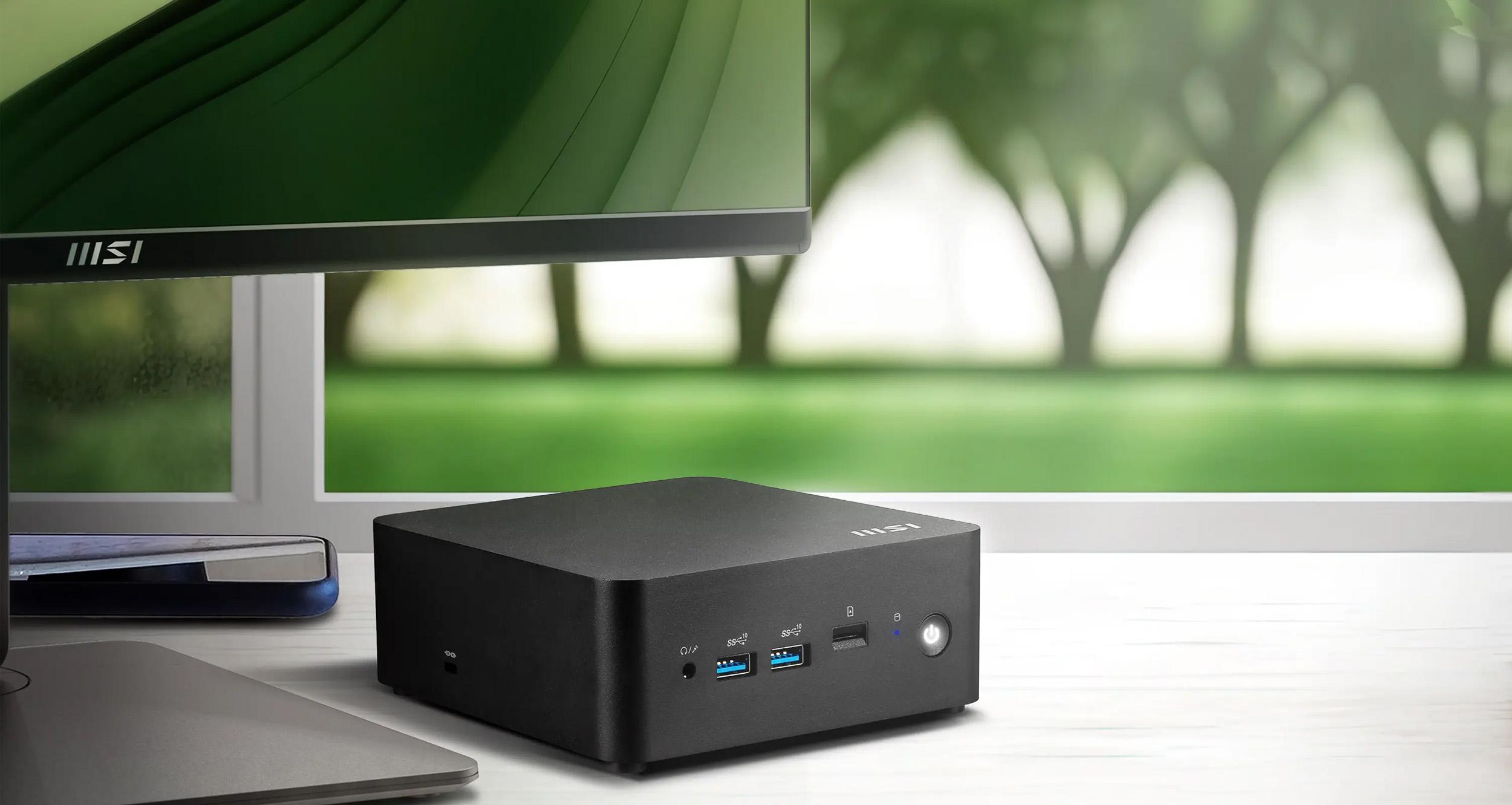
A mini PC is a tiny desktop that needs a monitor, keyboard and mouse - like a full computer that’s been shrunk into a neat, powerful little box. Despite the size, it’s surprisingly capable.
Laptop
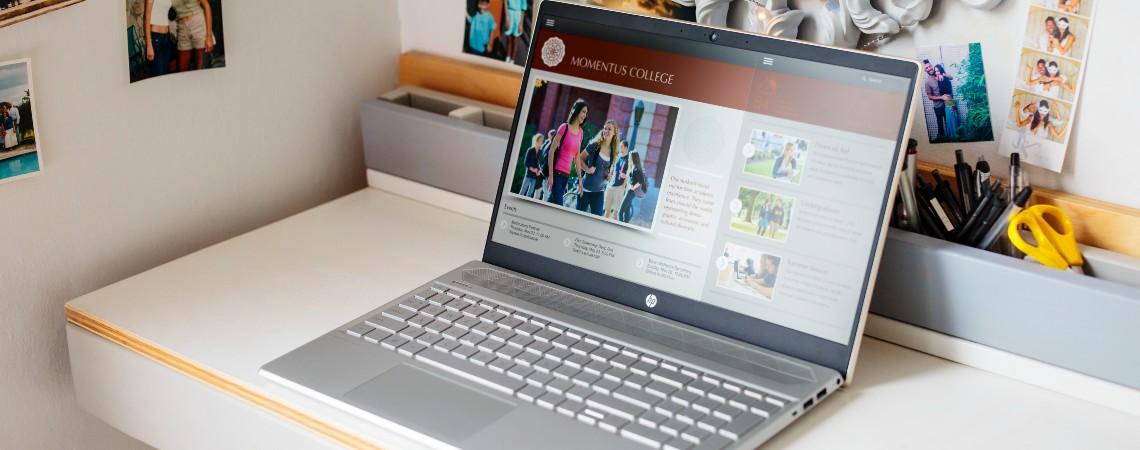
A laptop is the all‑in‑one portable option most people know well. Everything - screen, keyboard, trackpad and battery - is built in, making it flexible and convenient.
All‑in‑one PC
An all‑in‑one PC is a desktop where all the computer components are built directly into the monitor. You get a large screen and minimal cables with a clean, streamlined look.
When a mini PC is the best choice
Mini PCs are having a moment - they’re small, efficient and often the most affordable way to get desktop‑level performance.
Choose a mini PC if you:
Already use (or want) a monitor‑first home office
Want the cheapest route to desktop power
Run multi‑screen setups
Work from home and need something compact but capable
Do light gaming, coding, browsing or streaming


When a laptop is still the smartest choice
The best laptops to buy in 2026 remain the most flexible computer type, especially for people who work or study in more than one place.
Choose a laptop if you:
Are a student, traveller or hybrid worker
Want one device for everything
Prefer built‑in portability and an all‑in‑one setup
Don’t want to buy separate accessories


When an all‑in‑one PC makes more sense
All‑in‑one PCs are ideal for families and tidy workspaces. They offer a big screen, built‑in components, and barely any visible cables.
Choose an all‑in‑one if you:
Want a clean desk with minimal wires
Prefer a large display without choosing a separate monitor
Need a shared family computer
Want something stylish for kitchens, living rooms or home offices


Best choice by user type
For students
A laptop fits the flexibility of student life — moving between lectures, the library and late‑night study sessions. It’s perfect for moments like when a tutor uploads a last‑minute assignment and you need to start working immediately, wherever you are.
For home office workers
If you're mostly desk‑based, a mini PC gives you quiet power and the freedom to pick the perfect monitor. It handles busy workdays — from video calls to spreadsheets — without dominating your space.
For gamers
A gaming laptop is best if you move around between home and uni. Most Mini PCs can’t handle anything too intense but can be good for older titles or online gaming.
For families
An all‑in‑one PC keeps things simple for shared spaces. It works perfectly as the household computer where the kids do homework, parents jump on video calls and everyone streams or shops from one big, easy‑to‑use screen.
For minimal desk setup lovers
If you want a neat, cable‑free workspace, an all‑in‑one nails the aesthetic. One power cable, built‑in webcam and speakers — ideal for small flats or anyone who wants a clean, calming setup.
For frequent travellers
A laptop is the only sensible option if you’re hopping between hotels, trains or co‑working spaces. You can finish a presentation in an airport lounge, join a call on the train and wrap up from your room without extra accessories.
Cost comparison – what do you get for your money?
So, obviously this can vary widely - just as laptop or desktop prices can vary widely! But here are a few general rules of thumb:
A mini PC + monitor generally costs less than a laptop with equivalent power.
An all‑in‑one can be the best‑value way to get a large screen without buying extras.
Laptops cost more due to portability, batteries and compact engineering.
For pure performance per pound, AIOs a great shout. But it’s hard to beat a mini PC - especially if you already own a monitor.
Key differences between mini PC, laptop and All-in-one PC
| Category | Mini PC | Laptop | All‑in‑One (AIO) PC |
|---|---|---|---|
| What it is | Ultra‑compact desktop; needs external monitor, keyboard, and mouse. Often uses efficient mobile‑class CPUs/GPUs or tuned desktop parts. | All‑in‑one portable computer with built‑in screen, keyboard, trackpad, and battery. | Desktop where the PC is built into the monitor for a clean, cable‑light setup. |
| Portability | Desk‑bound but tiny. Easy to move between rooms; not designed for on‑the‑go use. | Best for mobility—one device for work and travel; modern models offer all‑day battery life. | Not portable in the travel sense; easier to relocate at home vs tower setups. Space‑saving design reduces cable clutter. |
| Performance (typical) | Strong performance—sustained loads benefit from better cooling vs thin laptops. Some mini PCs ship with powerful CPUs/GPUs. | Wide spectrum—from thin‑and‑light to gaming/workstation. Slim designs can throttle under long heavy loads compared with better‑cooled desktops/mini PCs. | Ranges from entry to premium; often mobile‑class components. Top AIOs (e.g. HP OmniStudio X, iMac M4) deliver strong everyday and creative performance. |
| Power efficiency | Very low draw: commonly ~6–45 W in everyday use (model‑ and workload‑dependent). | Battery‑optimized platforms now reach 14–21+ hours; big efficiency gains from Apple Silicon and Snapdragon X/modern Intel/AMD. | Similar to laptops/mini PCs at idle; overall efficiency varies by panel size and CPU. Designed more for space and simplicity than outright efficiency. |
| Upgradability & repairs | Usually the best here: RAM/SSD often user‑upgradeable; some models support additional storage. | Trend toward soldered RAM limits upgrades (with some exceptions such as CAMM). | Limited. Many AIOs allow RAM/SSD swaps; CPU/GPU upgrades rare. Repairs can be more complex and costly. |
| Display & workspace | Needs a separate monitor; flexible to pair with any size or quality (great with ultrawides). | Built‑in display (13–16″ typical). External monitor support via USB‑C/HDMI. | Integrated large display (24–32″ common) with webcam/speakers; often the cleanest desk setup. |
| Thermals & noise | Generally cooler/quieter under sustained loads than thin laptops thanks to small desktop cooling. | Thin chassis = tighter thermals; heavy tasks may cause throttling or fan noise. | Slim monitor chassis limits cooling; serviceability and thermal performance vary by model. |
| Best for | Small/home offices, media centres, light‑to‑pro workloads at a desk; users who value low power and upgradeability. | Hybrid workers, students, travellers—one device for everywhere with long battery life. | Family rooms, home offices, reception areas where style, big screen and fewer cables matter. |
| Key pros | Tiny footprint; energy‑efficient; flexible monitor choice; often user‑serviceable. | True portability; all‑in‑one convenience; huge battery gains in the latest generation. | Clean setup; large display; webcam & speakers included; minimal desk clutter. |
| Key cons | Needs separate monitor/peripherals; not travel‑friendly. | Upgrades increasingly limited; thermals can restrict performance in thin designs. | Limited upgrades/repairs; panel issues affect entire system; can cost more than tower + monitor. |
FAQs
Is a Mini PC better than a laptop?
It depends entirely on how you work. A mini PC gives you more power for the price, better cooling and the freedom to choose any monitor you like - ideal if you’re mostly at a desk. A laptop, on the other hand, wins if you need portability, a built‑in battery and a device that moves around with you. Think desk‑first users = mini PC; on‑the‑go users = laptop.
What are the disadvantages of an All‑in‑One PC?
All‑in‑ones look great and cut cable clutter, but their slim, integrated design means limited upgrades and sometimes more involved repairs. If the screen fails, for example, the whole system is affected. They’re brilliant for simplicity and shared spaces, but not for tinkerers or people who like to swap parts later.
Can a Mini PC replace a desktop?
For most people, yes - easily. Modern mini PCs offer desktop‑class performance in a tiny footprint, and many support dual screens, large SSDs and plenty of RAM. The only users who might still prefer a full tower are heavy gamers or creators who need dedicated GPUs or niche expansion cards.
Which computer type lasts the longest?
Usually mini PCs. They run cooler than laptops, accumulate less wear‑and‑tear and let you replace storage or RAM when needed. Laptops tend to hit thermal or battery‑related limits sooner, and all‑in‑ones can be tricky to repair, especially if the display is part of the issue.
Is an All‑in‑One PC good for working from home?
Yes, especially if you want a clean, distraction‑free workspace. The large screen is great for multitasking and having the webcam, speakers and PC all in one place removes setup faff. Just keep in mind that if your job requires specialist hardware or frequent upgrades, a mini PC or laptop‑plus‑monitor setup may be more flexible.
Do Mini PCs support dual monitors?
Most modern models do, and many support two or even three displays depending on their ports. This makes them ideal for productivity setups, coding environments or anyone who prefers one screen for work and another for reference, media or monitoring tools.
Should students buy a Mini PC or laptop?
Almost always a laptop. Students need flexibility for lectures, study groups, travel and late‑night library sessions. A mini PC is great for a stable home desk setup, but it can’t follow you around campus.
What’s next?
Get tons more info with our Desktop PC Buying Guide or our Laptop Buying Guide for the more portable pick.